Hello! I'm a developer working at an IT company. 👩💻
As part of my development work, I move between more websites than you might expect:
- Google Sheets
- Jira
- Figma
- Sites under development
- Our company ERP and internal systems
There are so many pages I need to visit several times a day.
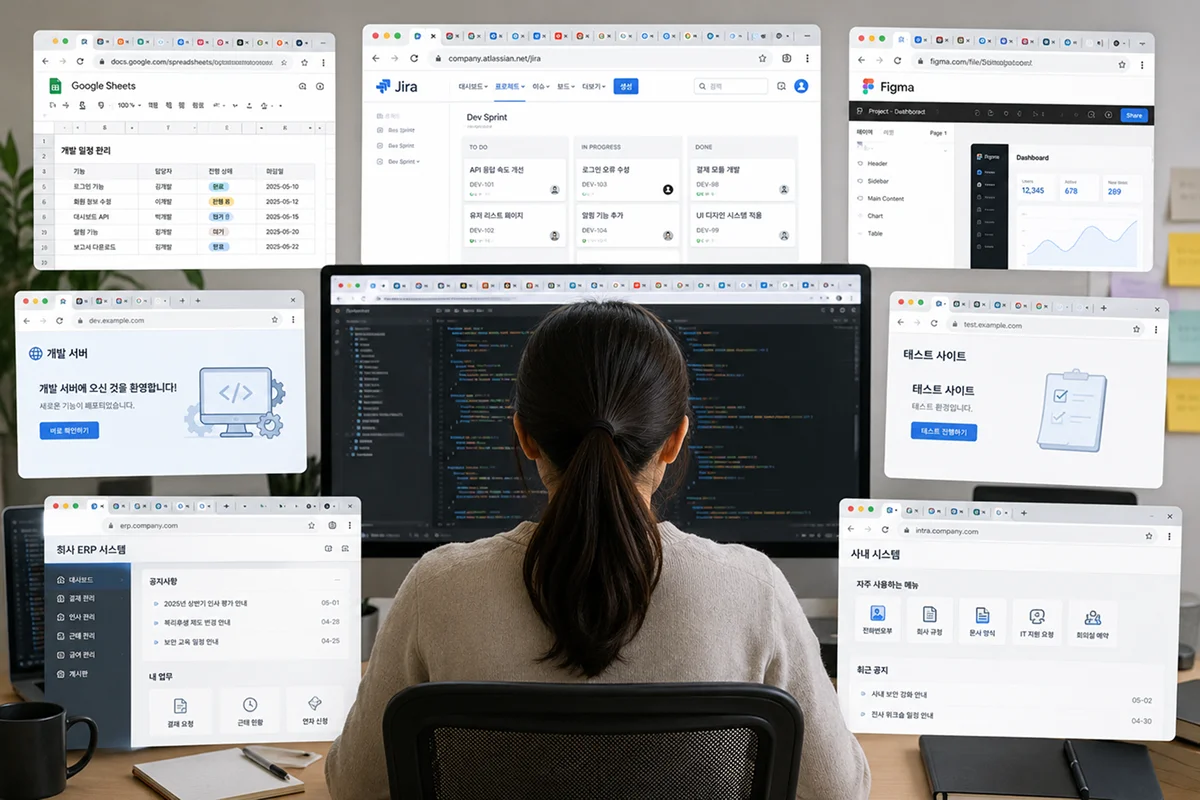
As a result, keeping 20 browser tabs open—and sometimes nearly 30—became normal for me. Tabs I opened thinking, “I'll come back to this later,” would pile up one by one, and it often took even longer to find the page I actually needed.
If I accidentally closed the browser, I had to spend time finding everything again. I would also feel uneasy, wondering whether I had lost an important link.
Why Didn't Browser Bookmarks Work for Me?
Of course, I tried using the browser's built-in bookmarks. Personally, though, I never found them visually organized or pleasant to use. Links simply kept piling up inside folders, so I rarely reached for them.
While looking for a more convenient and visually appealing way to organize my work, someone recommended Urlala, and I decided to give it a try.
Keeping All My Essential Work Links in One Place
What I liked most about Urlala was the ability to group the pages I use frequently at work by purpose:
- Project management: Jira and Google Sheets
- Design collaboration: Figma
- Development: Development servers, test sites, and admin pages
- Internal work: Our company ERP and internal systems
Once I organized my links this way, I could go straight to the site I needed.
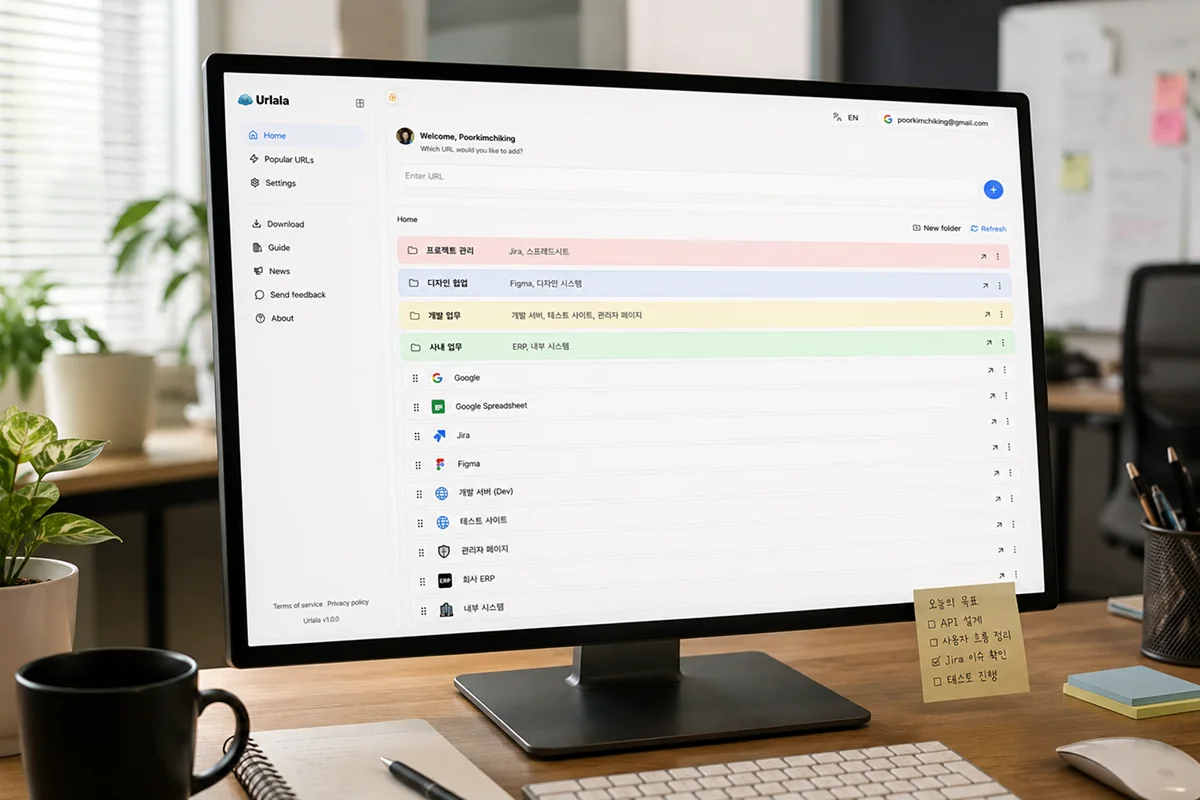
I no longer need to keep every page open in a tab. Even if I accidentally close the browser, I know I can find the links again in Urlala, which gives me real peace of mind.
A Small Change in Link Management Improved My Productivity
In the past, I spent a surprising amount of time trying to remember where a resource was, searching for it, and checking multiple tabs one by one. Each search might seem brief, but repeated throughout the day, it added up to a significant waste of time.
After organizing my work pages with Urlala, I spent less time looking for sites and could focus more on actual development and problem-solving. My browser also felt much cleaner, which reduced the sense of fatigue I used to feel when starting work.
Simply being able to find the page I need quickly has made my workflow much smoother.
It May Even Help with Performance Reviews
I believe that earning a strong performance review at work depends not only on the results you deliver, but also on how efficiently you use the time available to you.
Urlala cannot improve a performance rating directly, of course. But by helping me find essential resources quickly and stay in the flow, it has definitely helped me increase productivity and work more efficiently.
I only changed one small habit, yet the way I work now feels much more organized.

Who Should Try It?
- Anyone who uses several web services at work
- Anyone who regularly keeps 20 or more browser tabs open
- Anyone who has struggled to manage links with traditional bookmarks
- Developers who move between Jira, Figma, an ERP, spreadsheets, and development sites every day
- Anyone who wants to spend less time searching for resources and more time focusing on their work
Improving productivity does not always require a complicated tool. A small change—starting with organizing the links you use every day—can make working life feel much lighter and more refreshing! ✨