
Chrome tabs tend to pile up when you're working or studying. A page you found while researching, an article you haven't finished, a document you'll need again soon. I usually have at least 10 tabs open while I work.
I've also had plenty of frustrating moments when my computer showed a low-memory warning or froze in the middle of a task. With several apps running at once, I couldn't blame Chrome alone. But it made me wonder how much memory those open tabs were using.
So, while writing this post, I compared Chrome's memory usage with about six tabs open and then with just one tab remaining.
Chrome Memory Usage: 6 Tabs vs. 1
With about six tabs open, Google Chrome was using 3.21GB of memory.
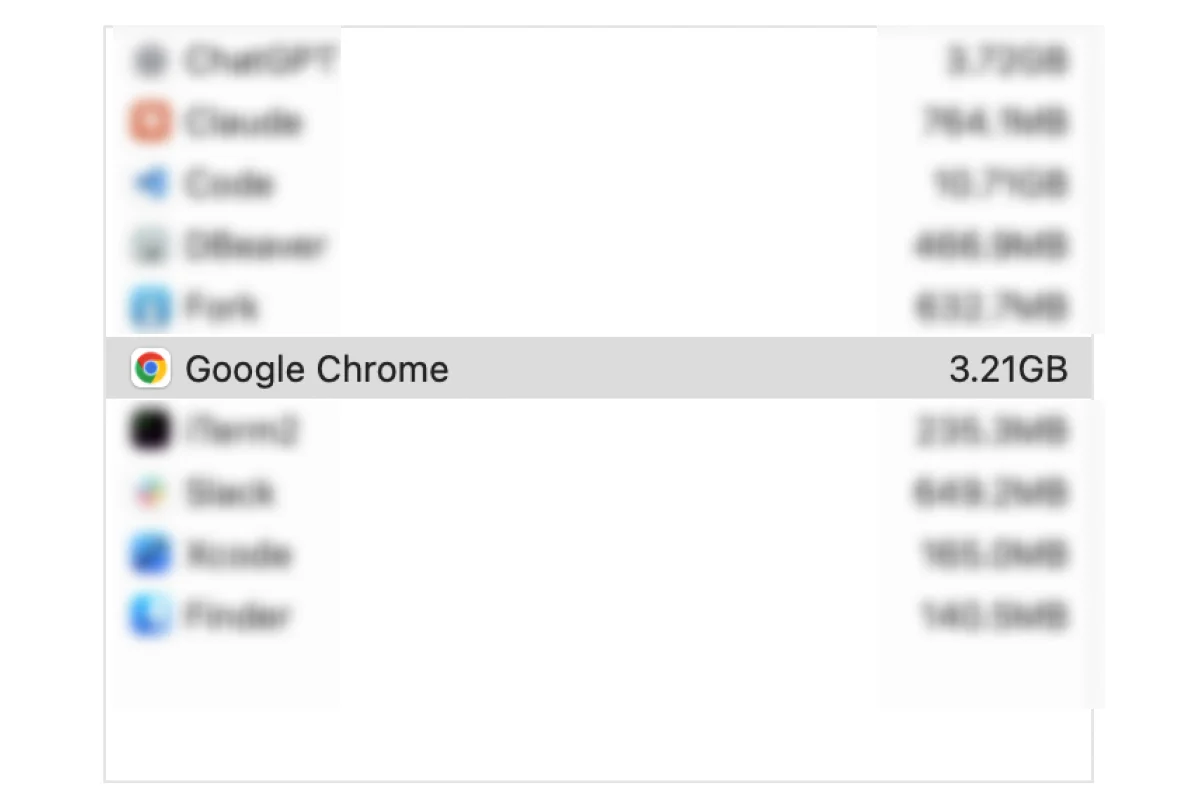
After closing the other tabs and leaving just one open, I checked again. The figure had dropped to 1.29GB.
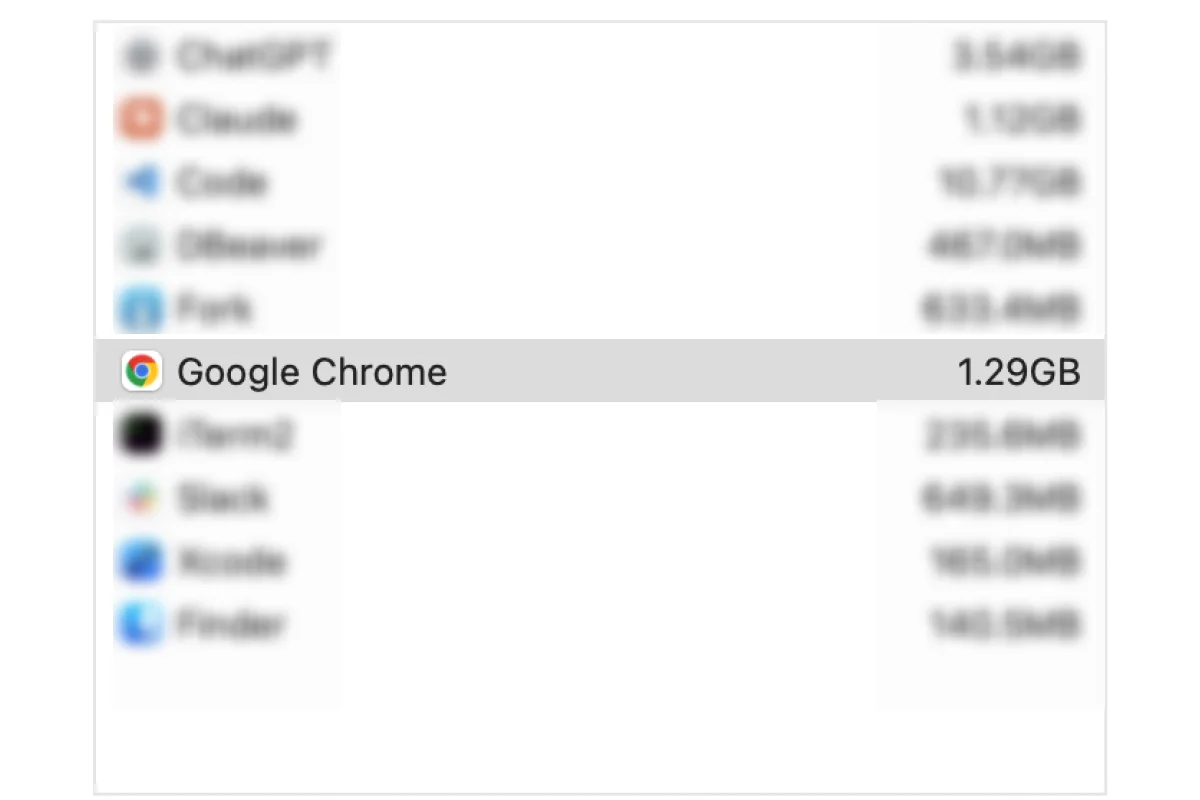
That's a difference of 1.92GB, or about 60%, between the two screenshots. On my computer, the before-and-after readings showed a noticeable drop in memory usage.
This wasn't a controlled benchmark with repeated measurements under identical conditions. The pages involved, the timing, and the browser's state can all affect the result. It doesn't mean six tabs always use 3.21GB, or that a 60% reduction in memory usage makes a computer 60% faster. Other apps were using memory too, so these screenshots don't establish that Chrome caused the freezes.
Still, the comparison made me take a closer look at the tabs I usually leave open without thinking.
Why Keep Tabs Open When You're Not Using Them?
Looking through my tabs, I realized I didn't need all of them right away.
Some pages, such as Figma, stay open because I'd rather not wait for them to load again. And if I'm constantly switching back to a document, keeping it open makes sense.
But most of the other tabs were there for similar reasons: I wanted to read them later, didn't want to search for them again, or worried I'd forget where I found them.
I was using my browser as both a workspace and a temporary storage shelf. If I could reliably find those pages again, I wouldn't need to keep them open.
Save Links for Later, Then Close the Tabs
This is what bookmarks are for. Saving a page you don't need right now means you can close it without worrying about losing the link.
For me, the trouble starts after saving. Once links pile up in my browser's built-in bookmarks, finding the one I want becomes inconvenient. If I can't remember where I saved something, I end up falling back into the habit of leaving tabs open.
That's why I use the Urlala extension to save links for later and find them again in Urlala when I need them. Having an easier way to find saved links makes closing tabs feel less risky.
My approach is simple:
- Keep pages open if I'm actively using them for the task at hand.
- Save pages I'll read or reference later in bookmarks or Urlala, then close them.
- Close pages I don't need to revisit.
If a page contains something I'm writing, I check that it's saved first. The point isn't to minimize the tab count at any cost. It's to tidy up without losing work.
I Wasn't Keeping Tabs Open Because I Needed Them All
In this comparison, Chrome used 3.21GB with about six tabs open and 1.29GB with just one remaining. Those numbers won't apply to every computer, but they gave me a good reason to close tabs I wasn't using.
I'm not planning to close every useful tab. I'll keep the pages I need now and save the ones I'll want later somewhere I can find them again.
If your Chrome window is full of tabs, take a look through them. Are they part of what you're doing right now, or are you keeping them open because you're afraid you'll lose them? If it's the latter, what you need might not be another open tab, but a reliable way to save the link and find it later.